How to Use KM002C USB-C Tester
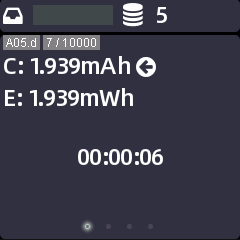
We will show how to use KM002C USB-C Tester in the article, from 4 points-Create a new record, Dash Board, Real-time Curve, Application. 1. Create a new record Press the “confirm” button and select “ok” You can go to “setting” (Long press “confirm”) to modify the save interval. (2) Auto start and stop by setting trigger conditions Auto start: Setting > Storage > Start rule > Set current (Manual means no rules) Auto stop: Setting > Storage > End rule > Set current (Manual means no rules) Save interval: You can set it according to your needs, but each record is limited to 10,000 pieces of data. Connecting to PC software to read the records. 2. Dash Board Here is the dashboard. You can view the real-time voltage, current and wattage at a glance. Press the “confirm” button to adjust the speed (4/15/60 Hz). Green block represents the voltage, marked as VBUS. Purple block represents the current, marked as IBUS. Orange block represents the power (wattage), marked as PWR. Bl...